Voice Search and Local SEO: What “Near Me” Queries Actually Need
Voice Search and Local SEO: What “Near Me” Queries Actually Need Voice search local SEO is about making your business...
Read More → If your WordPress site’s traffic has stalled, dropped, or never really took off, chances are a handful of recurring technical issues are quietly holding it back: broken permalinks, duplicate content, missing sitemaps, and themes that load too slowly for Google — or your visitors — to stay patient with. None of these are rare edge cases. They show up on WordPress sites of every size, and each one has a specific, fixable cause. This guide walks through the most common WordPress SEO problems, why they happen, and exactly how to fix them — and where a wordpress seo services company takes over when the fixes need to go deeper than a settings page.
WordPress is flexible by design, which is exactly why SEO problems creep in. Plugins conflict with each other. Themes get swapped without anyone checking what breaks. Permalink structures get changed mid-project without redirects in place. None of this is a flaw in WordPress itself — it’s what happens when a CMS built for flexibility runs without someone actively managing its technical health. That’s usually where expert wordpress seo service support earns its keep: not by installing another plugin, but by catching the structural issues plugins can’t fix on their own.
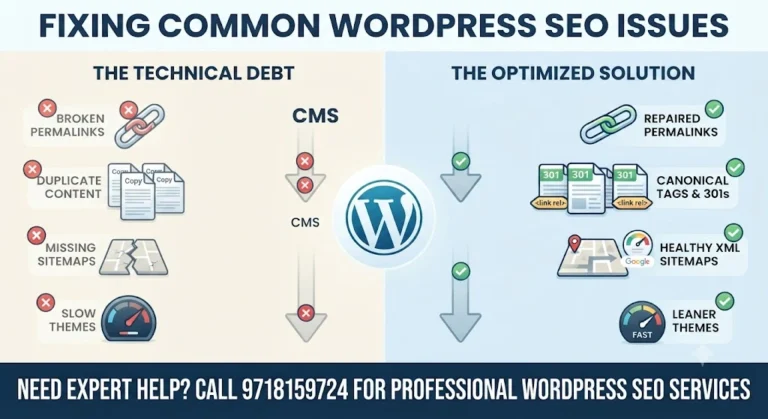
Permalinks are the URL structure WordPress uses for every post and page. When they break, it’s almost always one of these:
The result is 404 errors on pages that used to work fine, and Google indexing URLs that now lead nowhere.
This is exactly the kind of fix that’s simple in theory and easy to get wrong in practice, which is where wordpress technical seo work matters — mapping every old URL to its correct new destination instead of relying on a blanket redirect rule that half-fixes the problem.
WordPress generates more URLs for the same content than most site owners realize. A single blog post can be reachable through its own URL, a category archive, a tag archive, an author archive, and sometimes a paginated version — all serving near-identical content. Add in www vs non-www versions, HTTP vs HTTPS, and trailing-slash inconsistencies, and you can end up with the same content living at five or six different addresses.
Google doesn’t punish this outright, but it does have to guess which version matters, and that guess isn’t always the one you’d pick.
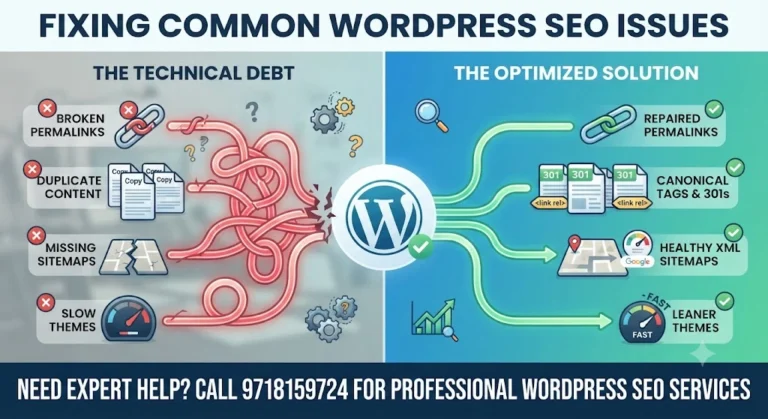
An XML sitemap is how you hand Google a direct list of the pages you want crawled and indexed. Without one — or with one that’s outdated, broken, or blocked — you’re relying entirely on Google’s crawler to find everything on its own, which it does slowly and incompletely, especially on larger sites.
Common causes: the sitemap-generating plugin was deactivated or replaced without updating Search Console, the sitemap URL returns a 404, or the sitemap still lists pages that were deleted months ago.
Page speed is a ranking factor and, more importantly, a conversion factor — slow sites lose visitors before they finish loading. On WordPress, the theme is usually the biggest single contributor to slow load times, especially themes built with heavy page builders, bloated CSS/JS files, and dozens of unused features running on every page load whether you use them or not.
Speed problems compound with everything above — a slow theme sitting on top of broken permalinks and duplicate content means Google is crawling inefficiently on top of everything else going wrong. Fixing these issues together, rather than one at a time in isolation, is generally what separates a quick patch from an actual recovery in rankings.
No — technical fixes remove obstacles, but recovery timelines depend on how long the issues existed and how Google had already indexed the affected pages. Expect improvement over weeks, not days.
Simple permalink resets can often be done from the WordPress dashboard. But if .htaccess needs manual editing or redirects need mapping at scale, that’s where technical support becomes worth bringing in.
No. Duplicate content in SEO usually refers to your own site generating multiple URLs for the same content — not copying someone else’s work. It’s a structural issue, not a content-theft issue.
It should update automatically whenever you publish or unpublish content, assuming your sitemap plugin is working correctly. If you’re checking it manually and it’s stale, that’s a sign something’s misconfigured.
Yes, larger sites often split sitemaps by content type (posts, pages, products). The problem isn’t multiple sitemaps — it’s multiple plugins trying to generate the same sitemap and conflicting with each other.
Under 2.5 seconds for the largest content element on the page is a commonly used benchmark, though the real target is whatever keeps visitors from bouncing before the page finishes loading.
It can, briefly, if the switch changes URL structures or breaks internal links. Done correctly — keeping URLs intact and testing before going live — a theme switch shouldn’t cause lasting SEO damage.
Not inherently, but many generate heavier code than a hand-coded theme, which can slow things down. The impact depends on which builder and how the site is built with it, not the use of a builder itself.
Searching a unique sentence from your homepage in quotes on Google is a quick manual check. For a full picture across the whole site, a proper technical crawl is needed.
If resources allow, together — they often interact with each other, and fixing one in isolation (say, sitemaps) while permalinks are still broken doesn’t get you the full benefit either fix is capable of on its own.
Technical SEO problems on WordPress rarely show up one at a time, and patching them individually without looking at how they interact tends to leave gaps. If you’d rather have this diagnosed and fixed properly instead of piecing it together yourself, call 9718159724 to talk through what’s actually going on with your site and get a clear plan for fixing it.